Silvercrest DV-5000HD Manuale Utente
Navigare online o scaricare Manuale Utente per Videocamera Silvercrest DV-5000HD. Silvercrest DV-5000HD User manual Manuale Utente
- Pagina / 105
- Indice
- SEGNALIBRI


- DIGITALCAMCORDER 1
- Table of Contents 2
- Table of Contents DV-5000HD 3
- Recording 22 3
- Playing Back 29 3
- DV-5000HD Table of Contents 4
- The Menus 35 4
- Connectors and Ports 44 5
- Appendix 48 5
- Safety Instructions 6
- Children 8
- Maintenance and Care 9
- Intended Use 10
- Conformity 11
- Disposal of Old Devices 11
- Introduction 12
- Controls and buttons 13
- DV-5000HD Introduction 14
- Left Panel 14
- Right Panel 14
- Introduction DV-5000HD 15
- Top View 15
- Opening the Display 16
- Getting started 17
- Inserting the Battery 18
- Inserting an SD Card 19
- Switching the Operating Mode 21
- Setting the Menu Language 21
- Setting Date and Time 22
- Recording 23
- DV-5000HD Recording 24
- Capturing Pictures 25
- The Video Light 27
- Exposure Compensation 27
- Histogram 28
- Macro Mode 28
- Setting the Resolution 29
- Playing Back 30
- Playing Back DV-5000HD 31
- DV-5000HD Playing Back 32
- Playing Back Photos 33
- Deleting Videos and Pictures 35
- The Menus 36
- DV-5000HD The Menus 38
- Default 38
- Language 38
- Frequency 38
- Date/Time 38
- Video Menu 39
- Video Playback Menu 40
- The Menus DV-5000HD 41
- Delete All 41
- Protect 41
- Photo Menu 42
- Photo Playback Menu 43
- Autoplay: 44
- Connectors and Ports 45
- Using the USB port 47
- Using a Card Reader 48
- Appendix 49
- Technical Specifications 50
- Details of Guarantee 51
- DV-5000HD Appendix 52
- Appendix DV-5000HD 53
- Indhold 54
- Indhold DV-5000HD 55
- Optagelse 74 55
- Afspilning 81 55
- DV-5000HD Indhold 56
- Menuerne 87 56
- Stik og porte 96 57
- Tillæg 100 57
- Sikkerhed – Vigtigt! 58
- Ledninger 61
- Vedligeholdelse og pleje 61
- Beregnet brug 62
- Konformitet 63
- Introduktion 64
- Styring og knapper 65
- DV-5000HD Introduktion 66
- Venstre panel 66
- Højre panel 66
- Introduktion DV-5000HD 67
- Visning ovenfra 67
- Nederst 67
- Åbne skærmen 68
- Komme i gang 69
- Isætning af batteriet 70
- Isætning af SD-kortet 71
- Ændre betjeningstilstand 73
- Indstilling af menusproget 73
- Optagelse 75
- DV-5000HD Optagelse 76
- Optagelse af billeder 77
- Videolampen 79
- Kompensering for eksponering 79
- Makrotilstand 80
- Indstilling af opløsningen 81
- Afspilning 82
- Afspilning DV-5000HD 83
- DV-5000HD Afspilning 84
- Afspilning af fotografier 85
- Slette videoer og billeder 87
- Menuerne 88
- DV-5000HD Menuerne 90
- Standard 90
- Frekvens 90
- Dato/klokkeslæt 90
- Videomenu 91
- Menuen Videoafspilning 92
- Menuerne DV-5000HD 93
- Slet alt 93
- Menuen Billede 94
- Billedafspilningsmenu 95
- Auto-afsp 96
- Stik og porte 97
- Tilslutning via HDMI-kablet 98
- Stik og porte DV-5000HD 99
- Bruge USB-porten 99
- DV-5000HD Stik og porte 100
- Sådan bruges en kortlæser 100
- Installation af softwaren 101
- Tekniske specifikationer 102
- Garantidetaljer 103
- Declaration of Conformity 104
- Lange Wende 41 105
- D-59494 Soest 105
- TARGA GmbH 105
Sommario
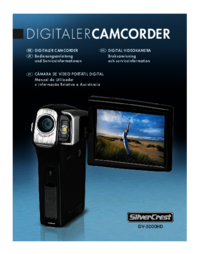
DIGITALCAMCORDERDIGITAL CAMCORDER User manualand service informationGBIEDKDV-5000HDDIGITALT VIDEOKAMERABrugervejledningog serviceinformationhbc_3c_cam
DV-5000HD Important Safety Instructions English - 9 Intended Use This is a consumer electronics device. It may only be used for private use, not in
DV-5000HD Stik og porte Dansk - 99 Sådan bruges en kortlæser Hvis din computer har en kortlæser, som understøtter SD-hukommelseskort, kan du læse k
Tillæg DV-5000HD 100 - Dansk Tillæg Installation af softwaren Systemkrav Windows Vista™ eller Windows® XP/2000 Ledig USB-port eller kortlæser
DV-5000HD Tillæg Dansk - 101 Tekniske specifikationer Billedføler 5 megapixel CMOS Objektiv Fast objektiv Fokusområde: f = 7,5 mm Blænder: F = 3
Tillæg DV-5000HD 102 - Dansk Garantidetaljer
Declaration of Conformity We: Targa GmbH Lange Wende 41 59494 Soest, Germany declare our responsibility that the product: Digital Camcorder
MAT-No: 1419716TARGA GmbHLange Wende 41D-59494 Soestwww.silvercrest.cchbc_3c_camcorder-dv5000_0808.qxd:Layout 1 28.10.2008 12:48 Uhr Seite 2
Important Safety Instructions DV-5000HD 10 - English Conformity This device and its supplied accessories have been tested and approved for complian
DV-5000HD Introduction English - 11 Introduction Package Contents Camcorder DV-5000HD Rechargeable battery PAC NP60 Charger H-FUJ-FNP60-0
Introduction DV-5000HD 12 - English Controls and buttons Front Panel 1 Lens 2 Video lamp 3 Self-timer indicator 4 HDMI out jack 5 USB/AV connector
DV-5000HD Introduction English - 13 Left Panel 13 Macro switch 14 Battery compartment Right Panel 15 Retractile display 16 On/Off button (under th
Introduction DV-5000HD 14 - English Top View 18 Microphone 19 Speaker Bottom 20 Eyelet for carrying strap 21 Tripod mount
DV-5000HD Introduction English - 15 Opening the Display Open the display and then rotate so that the screen faces to the back panel. If required,
Introduction DV-5000HD 16 - English Getting started The camcorder is powered by a rechargeable Lithium-Ion (PAC NP60) battery. On delivery, the bat
DV-5000HD Introduction English - 17 The status indicator of the charging cradle will light orange whilst the battery is charging. When the charging
Introduction DV-5000HD 18 - English Inserting an SD Card By using the SD memory card (not included in the package) you can increase the camcorder&a
DV-5000HD Table of Contents English - 1 Table of Contents Important Safety Instructions 5 Safety Instructions...
DV-5000HD Introduction English - 19 Write-Protecting the Memory Card The memory card features a write-protection tab. When the write protection is e
Introduction DV-5000HD 20 - English Switching the Operating Mode Press the mode selector button [12] multiple times to toggle between the modes Mov
DV-5000HD Introduction English - 21 Setting Date and Time Power the device on by pressing and holding the On/Off button [16] for approx. 1 second.
Recording DV-5000HD 22 - English Recording Recording Video Clips Open the display and then rotate it according to your needs. Power the camcord
DV-5000HD Recording English - 23 1 Zoom indicator 2 Exposure correction 3 Effect 4 Night Mode 5 White balance 6 Remaining memory available 7
Recording DV-5000HD 24 - English Capturing Pictures Open the display and then rotate it according to your needs. Power the camcorder on. If the
DV-5000HD Recording English - 25 1 0003 Remaining number of shots 2 Exposure correction 3 Effect 4 Night Mode 5 White balance 6 Current memor
Recording DV-5000HD 26 - English The Video Light In dark environments you can enable the built-in video lamp [2] for video or photo recording. To do
DV-5000HD Recording English - 27 Histogram The histogram is the graphical representation of the brightness distribution of an image. If the graphic
Recording DV-5000HD 28 - English Setting the Resolution Before capturing videos or photos you can set the resolution by pressing the button located
Table of Contents DV-5000HD 2 - English Charging the Battery... 16 Inse
DV-5000HD Playing Back English - 29 Playing Back Depending on the selected mode you can use the Play button [10] to switch to the corresponding play
Playing Back DV-5000HD 30 - English During playback you will see further information on the display: 1 100-0004 File name of the video 2 0001/000
DV-5000HD Playing Back English - 31 During video clip playback you can increase or decrease the playback speed or pause the video. To do this, press
Playing Back DV-5000HD 32 - English Playing Back Photos In Photo mode you can use the Play button [10] to switch to the picture playback mode. Pres
DV-5000HD Playing Back English - 33 During picture playback you will see further information on the display: 1 DPOF 2 0001/0001 Current picture
Playing Back DV-5000HD 34 - English Deleting Videos and Pictures You can easily delete individual videos or pictures while displaying them in playb
DV-5000HD The Menus English - 35 The Menus The camcorder uses different menus that offer multiple settings under each operating mode. Furthermore th
The Menus DV-5000HD 36 - English Histogram The histogram offers helpful information about the picture's brightness (see page 27), but it may d
DV-5000HD The Menus English - 37 Default All device parameters will be reset to their factory-default values. This will not erase any data from your
The Menus DV-5000HD 38 - English Video Menu To open the Video menu, press the Menu button [11] while in video mode. This menu consists of one page.
DV-5000HD Table of Contents English - 3 The Menus 35 The Main Menu ...
DV-5000HD The Menus English - 39 Effect You can record contents by using the settings Default, Black and White, and Sepia. To do this, select the co
The Menus DV-5000HD 40 - English Delete All All saved video recordings can be deleted at once. Any captured pictures will not be erased. To erase,
DV-5000HD The Menus English - 41 Photo Menu To open the Photo menu, press the Menu button [11] while in photo mode. This menu consists of one page.
The Menus DV-5000HD 42 - English Self timer The self-timer delays the capture for a preset time after pressing the shutter button [7]. This allows
DV-5000HD The Menus English - 43 Protect This setting is equivalent to the Protect setting for video playback (see page 40). Autoplay: Here you can
Connectors and Ports DV-5000HD 44 - English Connectors and Ports Viewing Recordings on a Television Screen Any recordings that you can view on the
DV-5000HD Connectors and Ports English - 45 Connecting via the HDMI Cable Please make sure that your camcorder is powered off. Open the port c
Connectors and Ports DV-5000HD 46 - English Transferring Recordings to the Computer There are two possible ways to copy recordings from the camcord
DV-5000HD Connectors and Ports English - 47 Using a Card Reader If your computer features a card reader supporting SD memory cards, you can read th
Appendix DV-5000HD 48 - English Appendix Installing the Software System Requirements Windows Vista™ or Windows® XP/2000 Free USB port or card
Table of Contents DV-5000HD 4 - English Photo Playback Menu... 42 Delete
DV-5000HD Appendix English - 49 Technical Specifications Capture sensor 5 megapixels CMOS Lens Fixed lens Focus range: f = 7.5 mm Aperture: F = 3
Appendix DV-5000HD 50 - English Details of Guarantee
DV-5000HD Appendix English - 51
Appendix DV-5000HD 52 - English
DV-5000HD Indhold Dansk - 53 Indhold Sikkerhed – Vigtigt! 57 Sikkerhedsanvisninger ...
Indhold DV-5000HD 54 - Dansk Isætning af batteriet... 69 Isætning af S
DV-5000HD Indhold Dansk - 55 Menuerne 87 Hovedmenuen... 87 Bi
Indhold DV-5000HD 56 - Dansk Billedafspilningsmenu ... 94 Slet alt...
DV-5000HD Sikkerhed – Vigtigt! Dansk - 57 Sikkerhed – Vigtigt! Sikkerhedsanvisninger Før du tager dette apparat i brug første gang, bedes du læse
Sikkerhed – Vigtigt! DV-5000HD 58 - Dansk Advarsel: Bemærkning om frakobling fra lysnettet. For at frakoble opladeren helt fra lysnettet, skal stik
DV-5000HD Important Safety Instructions English - 5 Important Safety Instructions Safety Instructions Before you use this device for the first t
DV-5000HD Sikkerhed – Vigtigt! Dansk - 59 Børn Elektriske apparater hører ikke til i hænderne på børn. Lad ikke børn bruge elektriske apparater, hvi
Sikkerhed – Vigtigt! DV-5000HD 60 - Dansk Ledninger Hold altid ledningerne ved stikket, og træk aldrig i selve ledningen. Tag aldrig fat i ledninge
DV-5000HD Sikkerhed – Vigtigt! Dansk - 61 Beregnet brug Dette er en forbrugerteknisk enhed. Den må kun anvendes til privat brug, ikke til industriel
Sikkerhed – Vigtigt! DV-5000HD 62 - Dansk Konformitet Denne enhed og vedlagt tilbehør er afprøvet og godkendt for overensstemmelse med de grundlægg
DV-5000HD Introduktion Dansk - 63 Introduktion Indhold i pakken Videokamera DV-5000HD Genopladeligt batteri PAC NP60 Oplader H-FUJ-FNP60-
Introduktion DV-5000HD 64 - Dansk Styring og knapper Frontpanel 1 Objektiv 2 Videolampe 3 Selvudløserlampe 4 HDMI-udgangsstik 5 USB-/AV-stik Bagpa
DV-5000HD Introduktion Dansk - 65 Venstre panel 13 Makro-kontakt 14 Batterirum Højre panel 15 Tilbagetrækkelig skærm 16 Tænd/sluk-knap (under den
Introduktion DV-5000HD 66 - Dansk Visning ovenfra 18 Mikrofon 19 Højttaler Nederst 20 Øje til bærestrop 21 Montering til trefod
DV-5000HD Introduktion Dansk - 67 Åbne skærmen Åbn skærmen og drej den, så skærmen vender imod bagpanelet. Om nødvendigt kan du også dreje skærmen
Introduktion DV-5000HD 68 - Dansk Komme i gang Videokameraet strømforsynes af et genopladeligt Lithium-Ion (PAC NP60) batteri.es af et genopladelig
Important Safety Instructions DV-5000HD 6 - English Also, when there is the possibility of thunderstorms, unplug the power cord from the wall ou
DV-5000HD Introduktion Dansk - 69 Statusindikatoren på opladeren er orange, mens batteriet lader. Når opladningen er færdig, vil statuslampen være g
Introduktion DV-5000HD 70 - Dansk Isætning af SD-kortet Hvis du bruger et SD-kort (medfølger ikke), kan du øge videokameraets lagerkapacitet, så du
DV-5000HD Introduktion Dansk - 71 Skrivebeskyttelse af hukommelseskortet Hukommelseskortet har en kontakt til skrivebeskyttelse. Når det er skrivebe
Introduktion DV-5000HD 72 - Dansk Ændre betjeningstilstand Tryk på tilstandsvælgeren [12] flere gange for at skifte imellem tilstandene Film, Foto
DV-5000HD Introduktion Dansk - 73 Indstilling af dato og klokkeslæt Tænd for enheden ved at trykke på og holde tænd/slukknappen [16] inde i omkrin
Optagelse DV-5000HD 74 - Dansk Optagelse Optagelse af videoklip Åbn skærmen og drej den efter behov. Tænd for videokameraet. Hvis den aktuelle
DV-5000HD Optagelse Dansk - 75 1 Zoom-indikator 2 Rettelse af eksponering 3 Effekt 4 Nattilstand 5 Hvidbalance 6 Resterende, tilgængelig hukom
Optagelse DV-5000HD 76 - Dansk Optagelse af billeder Åbn skærmen og drej den efter behov. Tænd for videokameraet. Hvis den aktuelle tilstand i
DV-5000HD Optagelse Dansk - 77 1 0003 Resterende antal fotooptagelser 2 Rettelse af eksponering 3 Effekt 4 Nattilstand 5 Hvidbalance 6 Aktuel
Optagelse DV-5000HD 78 - Dansk Videolampen I mørke omgivelser kan du slå den indbyggede videolampe [2] til ved video- eller fotooptagelse. Dette gor
DV-5000HD Important Safety Instructions English - 7 Children Electrical appliances do not belong in the hands of children. Do not allow children to
DV-5000HD Optagelse Dansk - 79 Histogram Histogrammet er den grafiske repræsentation af lysstyrkefordelingen på et billede. Hvis grafikken er fremhæ
Optagelse DV-5000HD 80 - Dansk Indstilling af opløsningen Før det tages videoer eller billeder, kan du indstille opløsningen ved at trykke på , der
DV-5000HD Afspilning Dansk - 81 Afspilning Afhængig af den valgte tilstand kan du bruge knappen Afspil [10] til at skifte til den tilhørende afspiln
Afspilning DV-5000HD 82 - Dansk Under afspilning kan du se yderligere oplysninger på skærmen: 1 100-0004 Filnavn for videoen 2 0001/0001 Aktuelt
DV-5000HD Afspilning Dansk - 83 Under afspilning af videoklip kan du øge eller sænke afspilningshastigheden eller sætte videoen på pause. Dette gøre
Afspilning DV-5000HD 84 - Dansk Afspilning af fotografier I fototilstand kan du bruge knappen Afspil [10] til at skifte til billedafspilningstilstan
DV-5000HD Afspilning Dansk - 85 Under billedafspilning kan du se yderligere oplysninger på skærmen: 1 DPOF 2 0001/0001 Aktuelt billednummer/ ant
Afspilning DV-5000HD 86 - Dansk Slette videoer og billeder Du kan let slette enkelte videoer eller billeder, mens de vises i afspilningstilstand (se
DV-5000HD Menuerne Dansk - 87 Menuerne Videokameraet har forskellige menuer med mange indstillinger under hver betjeningstilstand. Derudover er der
Menuerne DV-5000HD 88 - Dansk Histogram Histogrammet byder på nyttige oplysninger om billedets lysstyrke (se side 79), men det kan forstyrre visning
Important Safety Instructions DV-5000HD 8 - English Cables Always hold cables by the plug and never pull on the cable itself. Never hold the power
DV-5000HD Menuerne Dansk - 89 Standard Alle kameraparametre nulstilles til fabriksindstillinger. Dette slette ikke nogen data fra dit hukommelseskor
Menuerne DV-5000HD 90 - Dansk Videomenu For at åbne videomenuen skal du trykke på Menu-knappen [11] i videotilstand. Denne menu består af én side.
DV-5000HD Menuerne Dansk - 91 Effekt Du kan optage indhold ved hjælp af indstillingerne Standard, Sort og Hvid samt Sepia. Dette gøres ved at vælge
Menuerne DV-5000HD 92 - Dansk Slet alt Alle lagrede videooptagelser kan slettes på én gang. Eventuelle fotografier slettes ikke. For at slette vælge
DV-5000HD Menuerne Dansk - 93 Menuen Billede For at åbne billedmenuen skal du trykke på Menu-knappen [11] i billedtilstand. Denne menu består af én
Menuerne DV-5000HD 94 - Dansk Selvudløser Selvudløseren forsinker fotooptagelsen i et forudindstillet stykke tid, efter der trykkes på lukkerknappen
DV-5000HD Menuerne Dansk - 95 Beskyt Denne indstilling er lig med beskyttelsesindstillingen for videooptagelse (se side 92). Auto-afsp. Her kan du
Stik og porte DV-5000HD 96 - Dansk Stik og porte Se optagelser på en fjernsynsskærm Alle optagelser, der kan ses på videokameraets skærm, kan også
DV-5000HD Stik og porte Dansk - 97 Tilslutning via HDMI-kablet Du skal sikre dig, at videokameraet er slukket. Åbn indgangslåget og sæt det li
Stik og porte DV-5000HD 98 - Dansk Overføre optagelser til computeren Der er to metoder til at kopiere optagelser fra videokameraet til en computer
Più documenti per Videocamera Silvercrest DV-5000HD


Prodotti e manuali riguardandi Videocamera Silvercrest DV-5000HD
 (189 pagine)
 (50 pagine)

 (166 pagine)
(44 pagine)
(138 pagine)
(166 pagine)
(44 pagine)
(138 pagine)

 (126 pagine)
(50 pagine)
(74 pagine)
(364 pagine)
(296 pagine)
(222 pagine)
(231 pagine)
(155 pagine)
(231 pagine)
(193 pagine)
(126 pagine)
(50 pagine)
(74 pagine)
(364 pagine)
(296 pagine)
(222 pagine)
(231 pagine)
(155 pagine)
(231 pagine)
(193 pagine)
© 2020, manymanuals.it. Tutti i diritti riservati | 0.054 s |
 Manymanuals.com
 Manymanuals.de
 Manymanuals.fr
 Manymanuals.it
 Manymanuals.pl
 Manymanuals.cz
 Manymanuals.es
 Manymanuals-pt.com
Commenti su questo manuale